
Deliberate typing practice
shouldn't stop when the
typing
test ends.
typesati is a tiny macOS menu bar app that estimates your typing accuracy while you work — by quietly counting backspaces against everything else.
Requires macOS · needs Input Monitoring permission
The idea
typesati — typing with awareness and intention.
While a session records
Start a session, keep working.
When you feel like practising deliberately, just start a session and carry on as normal. typesati quietly compiles the metrics in the background — there's nothing to type into, nothing to switch to.
Your progress
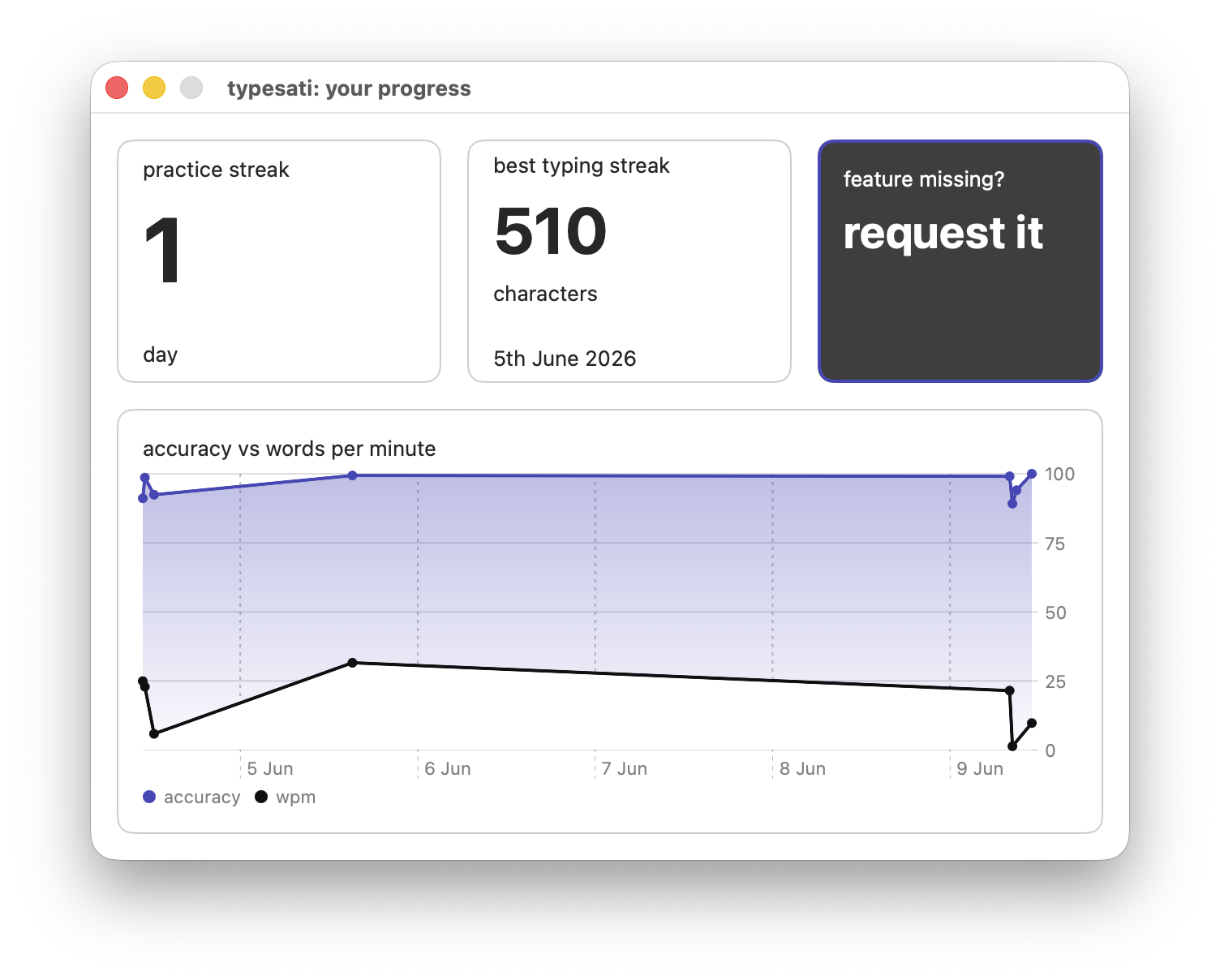
See how you're trending over time.
Every session feeds a private dashboard on your Mac. Track your practice streak, your best run, and how accuracy and words per minute move together day to day — all from the aggregate counts on your machine, never your keystrokes.
The problem
Practice is mindful. Real work isn't.
Apps like monkeytype and keybr are great for deliberate practice. But the moment you leave them, the temptation to stop typing mindfully creeps back in.
Deliberate practice happens in isolated environments; most typing happens everywhere else. Over time a gap opens up between how you type when you're practising and how you type when you're really working. typesati helps close that gap.
Privacy
It measures behaviour, never content.
It's reasonable to be cautious about anything that watches your keyboard. typesati is built privacy-first: every keypress is classified the instant it happens as one of two things —
The original key is discarded immediately and cannot be recovered. typesati never stores characters, words, text, keycodes, or timestamps — so it has no way to reconstruct what you typed.
- Only aggregate counts are stored — backspaces vs. other presses.
- Everything lives in a local SQLite database on your machine.
- Nothing is ever sent to an external server.
- Inspect, export, or delete it whenever you like. Delete it, and the data is gone.
Reinforce good habits
Recovering well isn't a mistake.
Not every backspace is an error. Deliberately wiping a whole word or line and retyping it cleanly is a solid recovery pattern — exactly the muscle memory worth building. So when you reach for one of these, typesati doesn't count it against your accuracy:
Clear the word in one go.
Reset and start again.